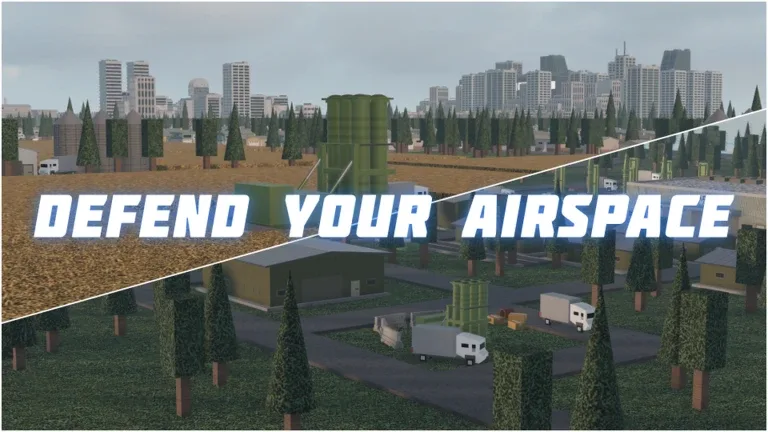
How to Restart Your Progress in Build and Conquer on Roblox
Learn how to reset your game progress in Build and Conquer on Roblox. Discover the steps for managing your data and starting fresh in this strategy title.
Published: Build and Conquer Wiki Editorial Team
Table of Contents
Understanding Data Persistence in Build and Conquer
When playing strategy-oriented titles like Build and Conquer on Roblox, players often reach a point where they want to wipe their progress and start over. Whether you have made sub-optimal strategic choices or simply want the thrill of rebuilding from scratch, understanding how data persistence works is essential.
In Roblox, most games—including those developed by The Slop Company—utilize DataStores. This system automatically saves your progress, inventory, and base state to the cloud. Because this process is automated, there is rarely a simple "Delete My Save" button found in the standard game menu unless the developer has explicitly programmed it into the game’s settings panel.
Why a Manual Restart Might Be Difficult
Many players look for a "Restart" or "Reset" button in the settings menu, but often find it absent. This is a common design choice in many Roblox games. Developers often prioritize protecting player progress to prevent accidental data loss. If you are struggling to find a way to reset your Build and Conquer progress, consider these factors:
Cloud-Based Saving: Since your progress is tied to your unique Roblox user ID, the game server recognizes you the moment you join. It loads your previous state automatically.
Lack of In-Game Reset: Without a custom UI button provided by The Slop Company, there is no native way to trigger a "hard reset" of your specific player data.
Game Loop Design: Many strategy games are designed with the intention that progress is cumulative, making a reset feature less of a priority for the development team.
Exploring Workarounds for a Fresh Start
Since there is no direct "Reset" button, players often ask if there are alternative ways to achieve a fresh start. Here are the most effective methods currently used by the community:
Check the Game Settings: Open the game menu in Build and Conquer and scan the settings tab thoroughly. Sometimes developers hide a "Reset Data" button behind a confirmation prompt to prevent accidents.
Use an Alt Account: The most reliable way to experience a completely fresh start is to play on a secondary Roblox account. This creates a new profile with no prior data associated with the game.
Developer Updates: Keep an eye on the official Build and Conquer Roblox page. Developers frequently update their games, and a "Reset" feature is a common request that may be added in future patches.
Common Pitfalls and Risks
When trying to reset your progress, it is important to be aware of what you can and cannot control. Many third-party websites or "hack" tools may claim to offer a way to reset your game data or "clear your cache."
Warning
Avoid any third-party tools or scripts that claim to "reset" your Roblox data. These are often malicious and can lead to your account being compromised or banned for violating Roblox's Terms of Service. Always stick to official game features provided by the developer.
If you find that your progress is stuck or glitched, rather than just wanting to restart for fun, the best course of action is to reach out to the developers through their official community channels or social media links provided on the game page.
FAQ: Frequently Asked Questions
Can I reset my progress by reinstalling the game?
No. Because Build and Conquer is a platform-based game, your data is stored on the game's servers, not on your device. Reinstalling the app will not clear your server-side progress.
Will buying a game pass affect my ability to reset?
Game passes are tied to your Roblox account. If you were to find a way to reset your progress, your purchased game passes would typically remain available to you, as they are a permanent acquisition on your account.
Does the developer plan to add a reset button?
While there is no official roadmap confirming a reset button, player feedback is highly valued by developers. Providing constructive feedback on the game’s official Roblox page or community groups is the best way to let the creators know that this feature is requested.